
Free WordPress plugin
Your PHP errors. Your eyes only.
WordPress writes its errors to a debug.log file that anyone on the internet can often download. Debug 360 replaces that with its own PHP error handler and shutdown handler, so errors go straight into your database the moment they happen, and gives you a fast, readable log right in your admin.
- Free, no account needed
- Sends nothing off your site
- Undoes its changes when removed
Your debug.log is working for the wrong people
Public by default
Switch on WordPress's debug log and it lands in wp-content/debug.log, a web address on most servers.
Full of clues
Server paths, plugin and theme names, failed database queries: a map of your site for anyone planning an attack.
Constantly requested
Automated scanners ask WordPress sites for debug.log all day long. Debug 360 makes sure there's nothing there to find.
Not a log reader. A real error handler.
Most debug-log plugins wait for PHP to write debug.log and then read the file back to you, so the file, and everything in it, stays on your server. Debug 360 takes over PHP's error handling itself.
Straight to your database
From the moment the plugin loads, PHP hands every warning, notice, deprecation and error directly to Debug 360's own error handler. Once Debug 360 is running, no PHP error is written to debug.log.
Fatal errors caught too
A fatal error stops PHP before an ordinary handler can see it. Debug 360's own shutdown handler catches it as the page ends and records the message, file and line.
A safety net for the rest
Errors from code that runs before Debug 360 loads, messages written straight to the log (WordPress’s own Automatic updates starting… chatter included), and errors raised while your database is down land in debug.log first. Debug 360 imports them into your log and deletes the file.
| How errors are captured | Log readers | Debug 360 |
|---|---|---|
| Its own PHP error handler | No | Yes |
| Its own shutdown handler for fatal errors | No | Yes |
| Imports and deletes any debug.log it finds | No | Yes |
| Sets WP_DEBUG and WP_DEBUG_LOG for you, with a wp-config.php backup | No | Yes |
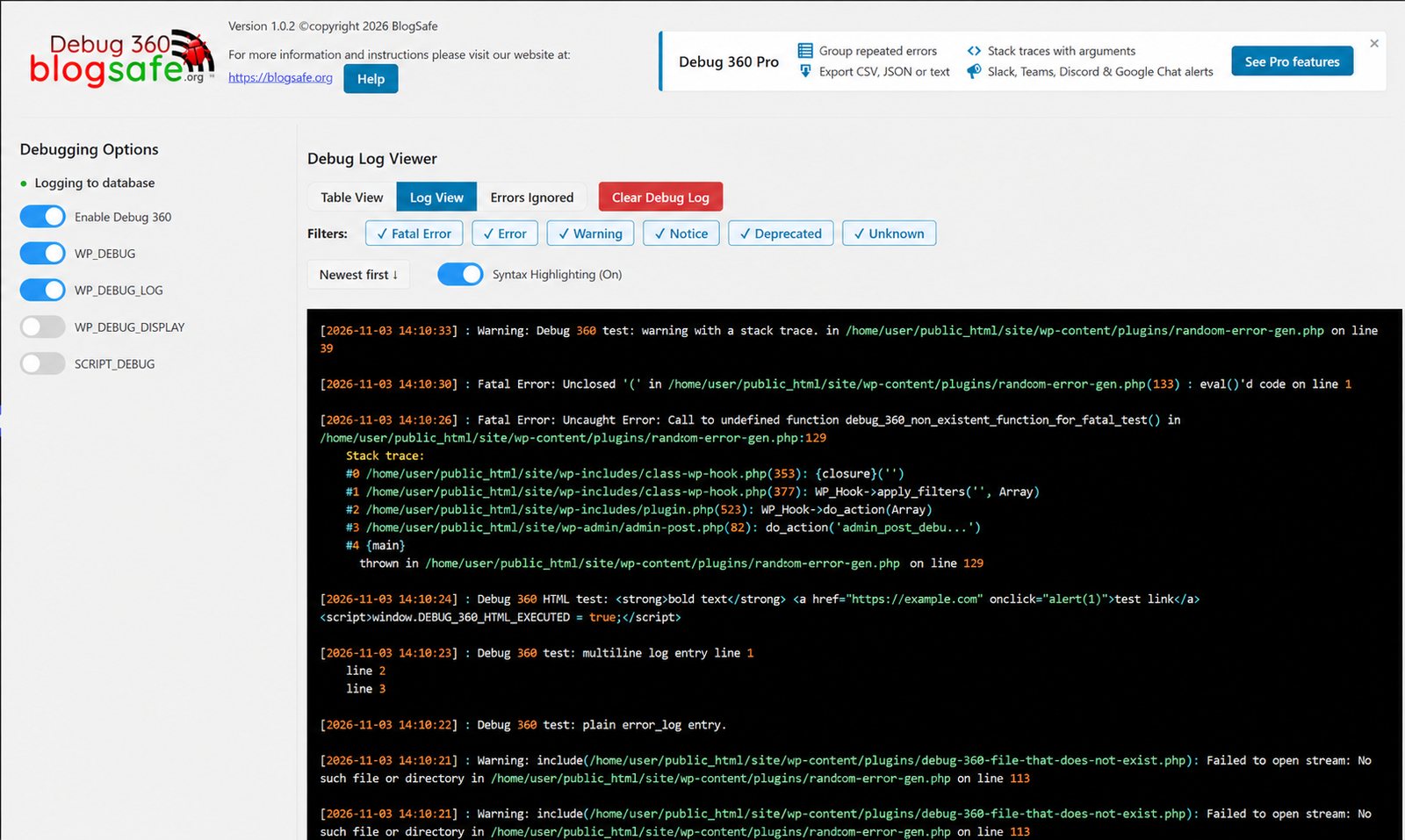
Log viewer
Your errors, readable at a glance
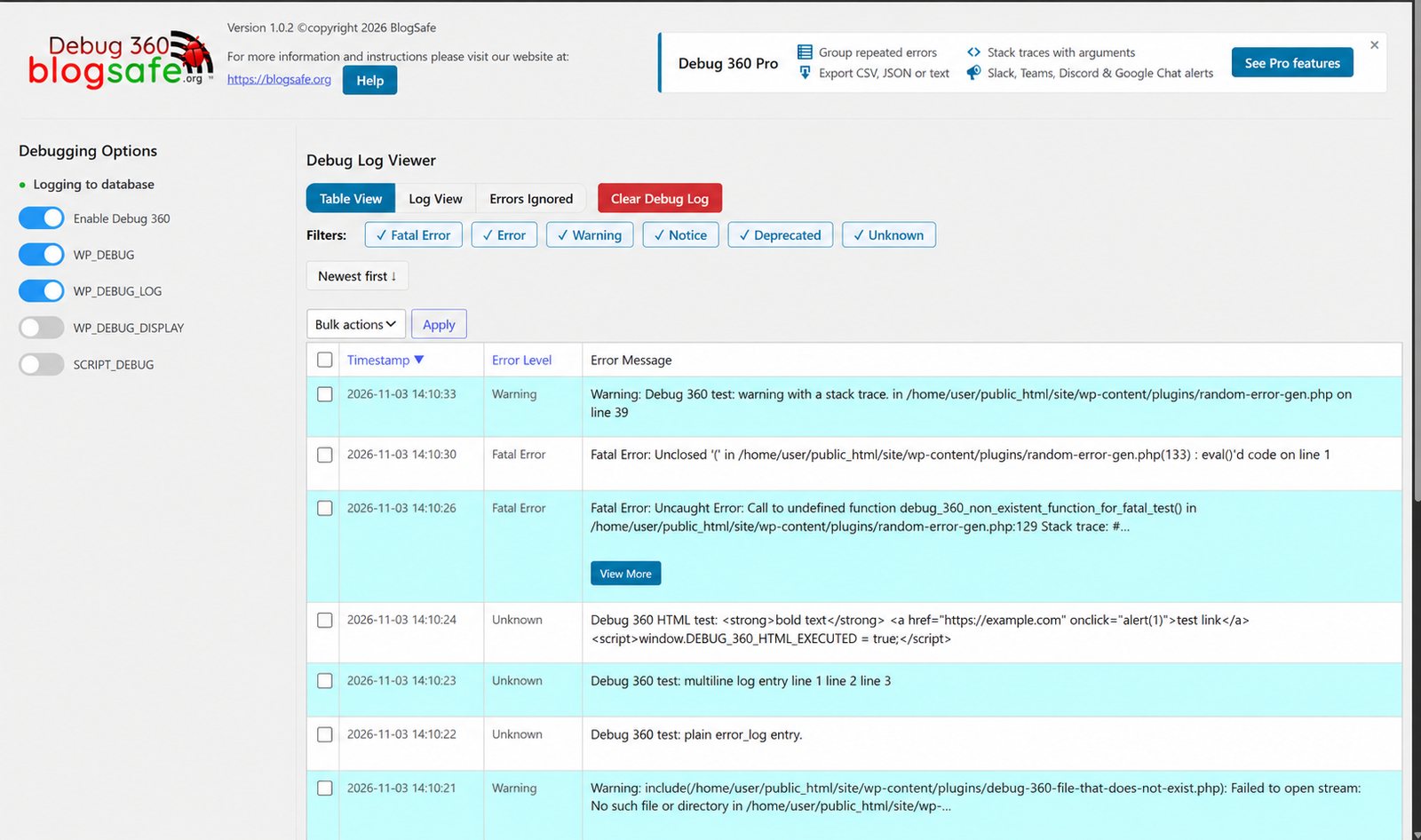
Captured errors land in a fast log inside your WordPress admin, with their time, level, file and line. Read them as a log or a sortable table.
- Table and log views, newest or oldest first
- Filter by level: fatal, error, warning, notice, deprecated
- Long messages fold away behind View More
- Delete one entry or a selection
- Clear the log for a fresh start, and see cleared entries again with History for 30 days
Focus
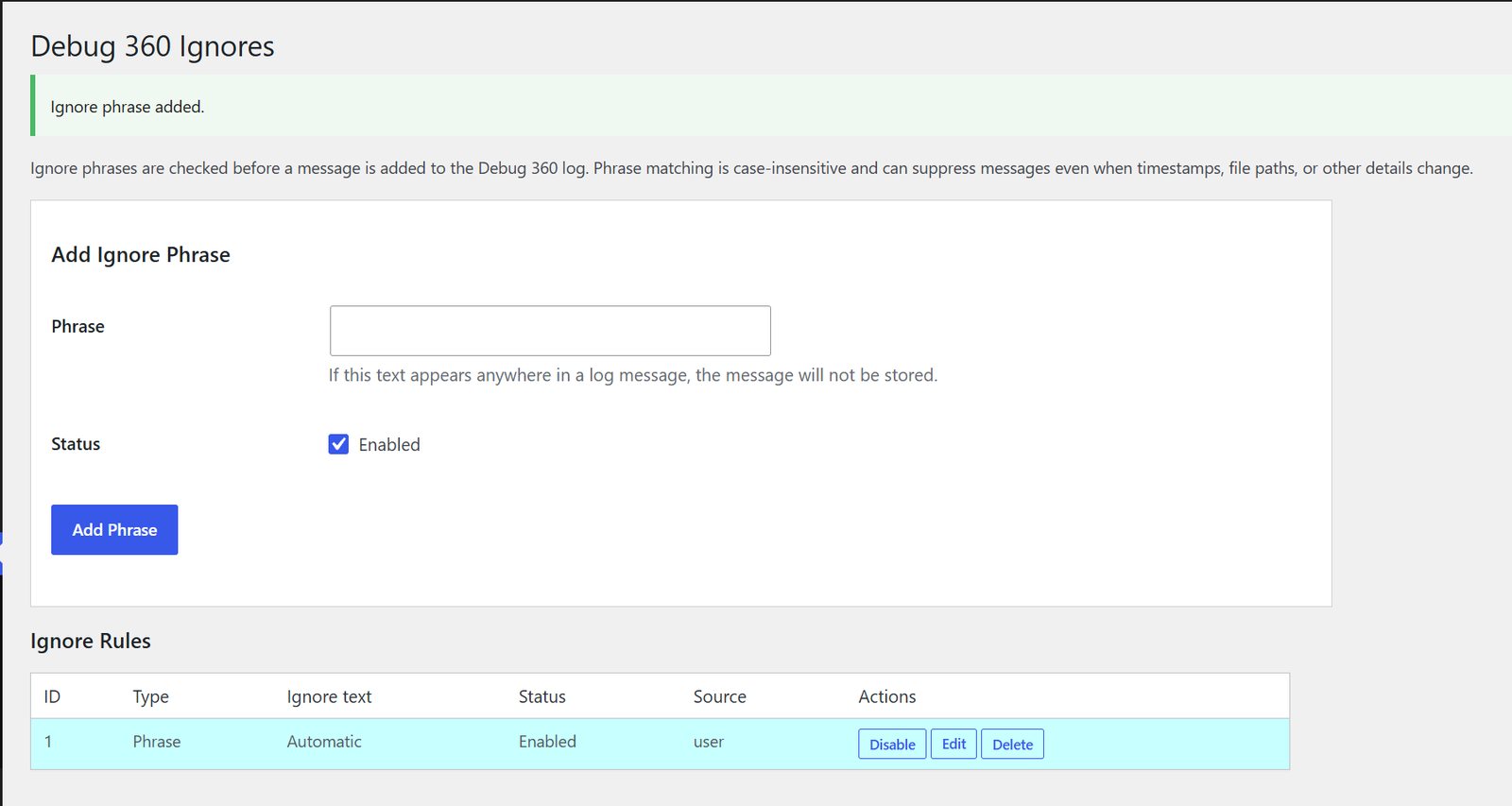
Silence the noise you can’t fix
Every site has noise it can’t fix: a warning from a plugin or theme you can’t change, or WordPress itself announcing every background update. Ignore it once and it’s gone for good, along with every copy already in the log.
- Ignore one exact message with a click
- Or ignore anything containing a phrase, such as a plugin’s folder
- Switch rules off and on, edit or delete them
Control
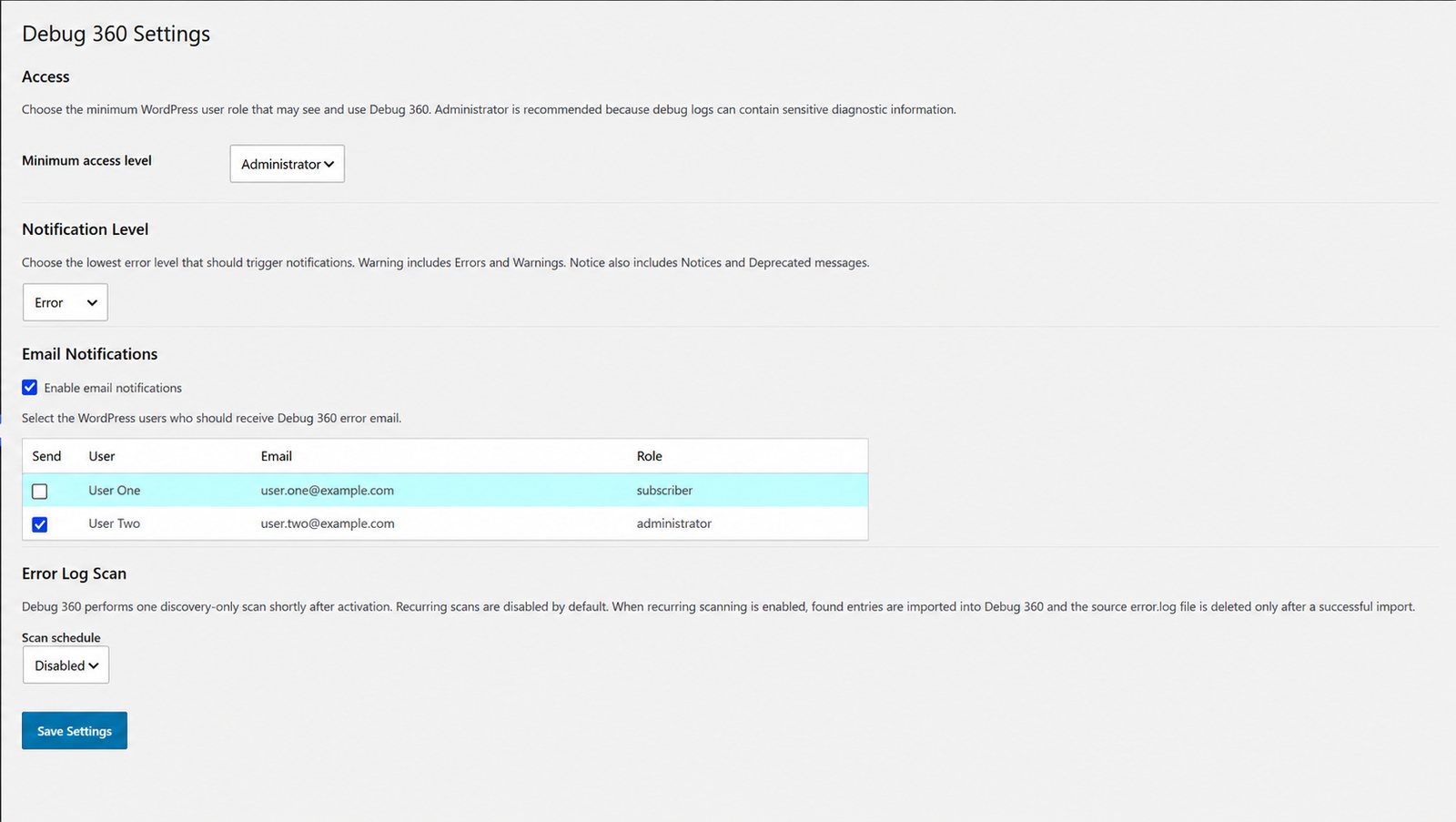
Alerts in your inbox. Settings in your hands.
Choose who hears about errors and how serious they must be, who may read the log, and whether to clean up stray error.log and error_log files across your site.
- Email alerts by level, with repeats held back
- Access from Administrator down to any role you choose
- Scheduled or on-demand import and removal of error.log and error_log files, with repeated errors stored once with a count
- Flip WP_DEBUG and friends without editing wp-config.php, with backups
Built for live sites
Visitors see nothing
While Debug 360 is capturing, it switches PHP’s on-screen errors off, so they never reach your visitors.
Safe wp-config.php edits
A backup before every change, written in a single step, and your original settings restored when you deactivate.
Light on the server
Imports run in small batches, alerts are throttled, and admin styles load only on Debug 360’s screens.
Your data stays home
Logs live in your own database. The free plugin never contacts BlogSafe or anyone else.
Get Debug 360
Debug 360 is free. It’s on its way to the WordPress.org plugin directory; once it’s listed, install it from Plugins → Add New by searching for BlogSafe Debug 360.

Need answers, not just errors?
Debug 360 Pro groups repeats into one row, shows the exact chain of calls behind each error, and alerts your team in Slack, Teams, Discord or Google Chat.
30-day money-back guarantee