
Debug 360 Pro
Stop reading logs. Start fixing problems.
Pro turns hundreds of log lines into a short list of real problems, shows you exactly which code caused each one, and tells your team the moment something breaks.
- 30-day money-back guarantee
- Keeps your settings and log
- Updates straight from BlogSafe
- Sends only to services you connect
Grouped view
One row per problem, not five hundred
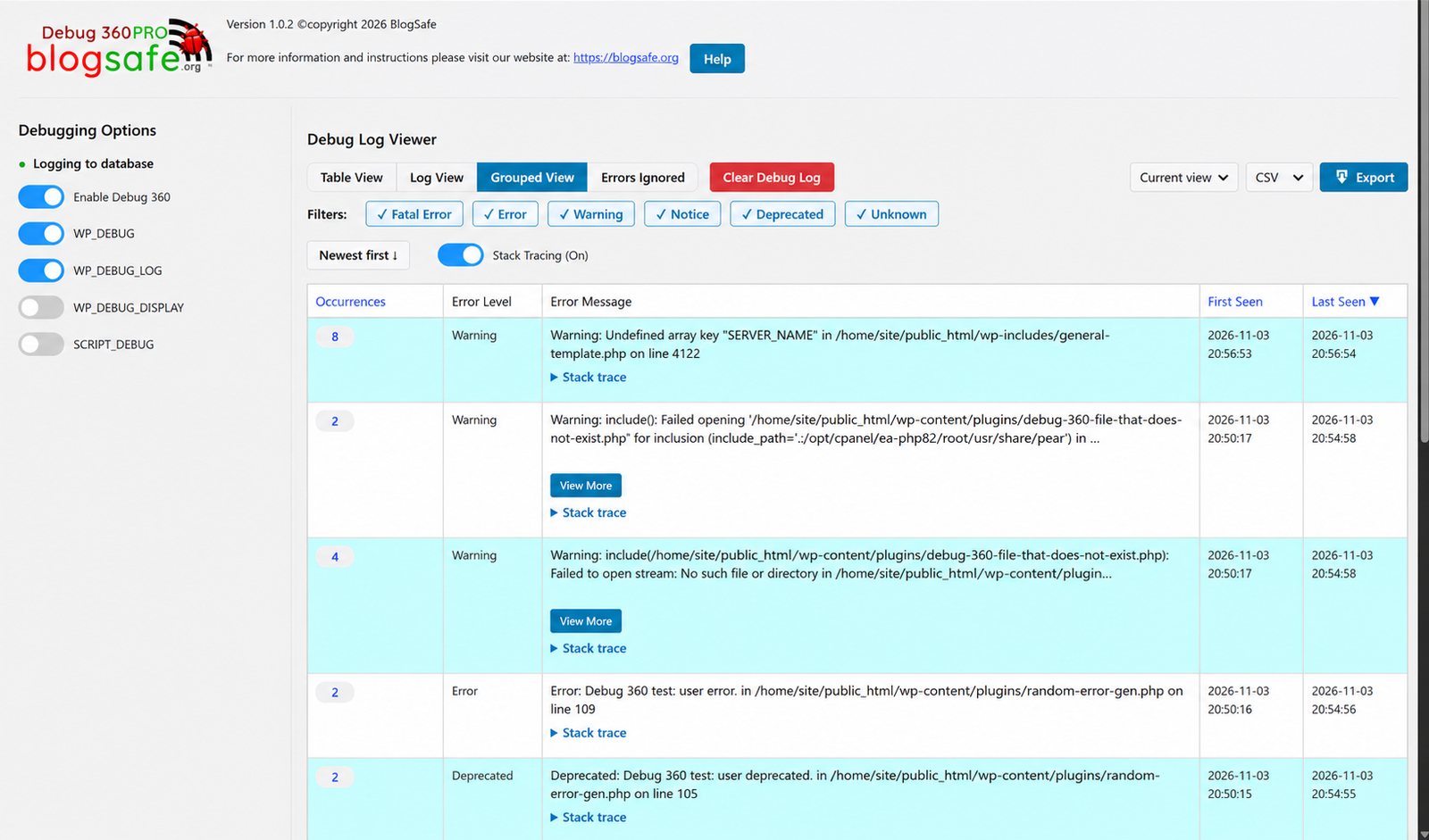
A busy site logs the same warning over and over. Grouped View shows each distinct error once, with how often it happened and when it started, so the real problems stand out.
- Occurrence count, first seen and last seen
- Sort by the most frequent or the most recent
- Open a group to see every occurrence
- Delete a whole group in one click
Stack traces
See the exact call that broke
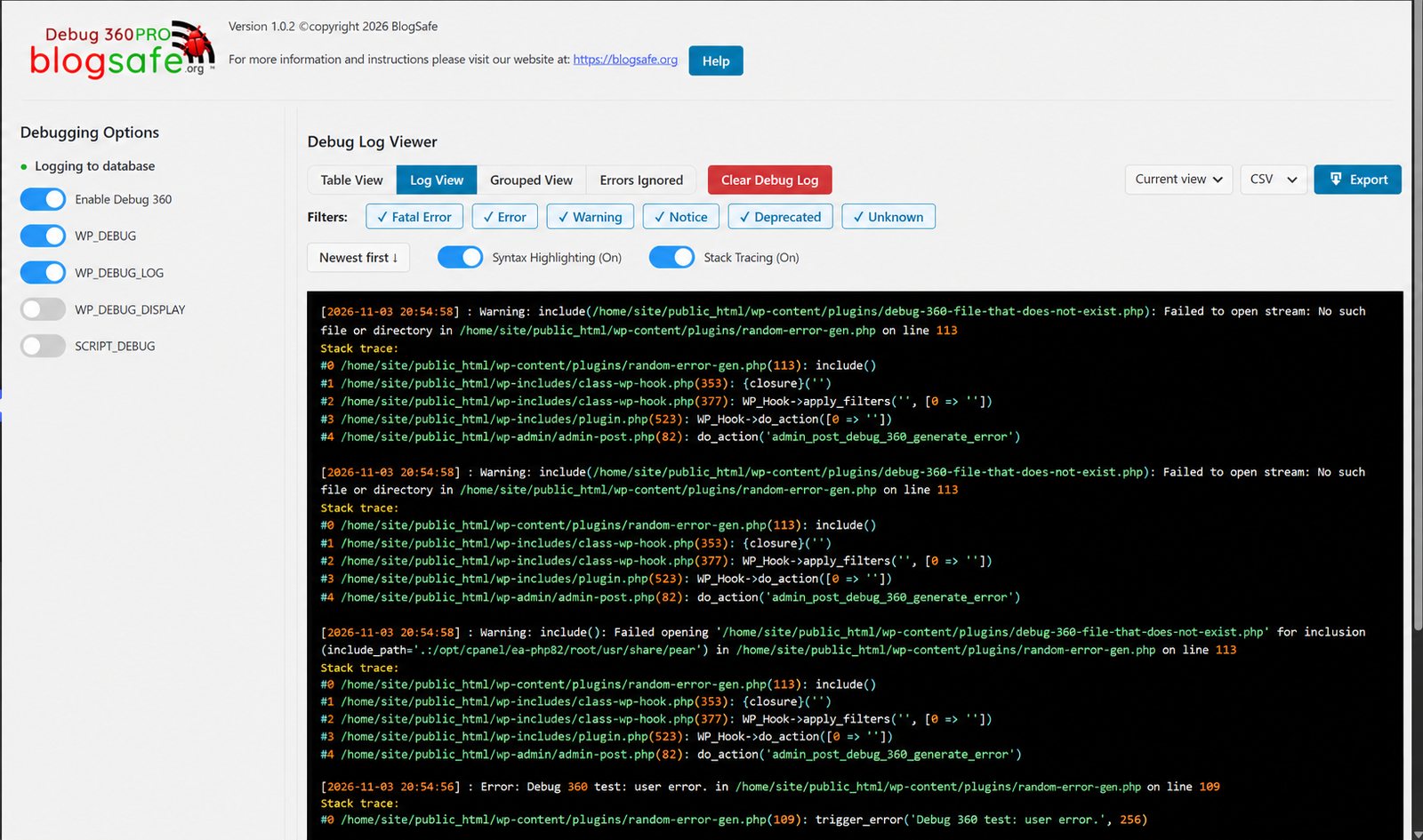
The error says where it happened. The stack trace says why: which plugin called which function, with which values. It’s the fastest way to find the real culprit.
- Recorded for new errors while tracing is on
- Argument values included, safely: no code is ever run
- Size limits keep your database lean
Team alerts
Hear about it where your team already is
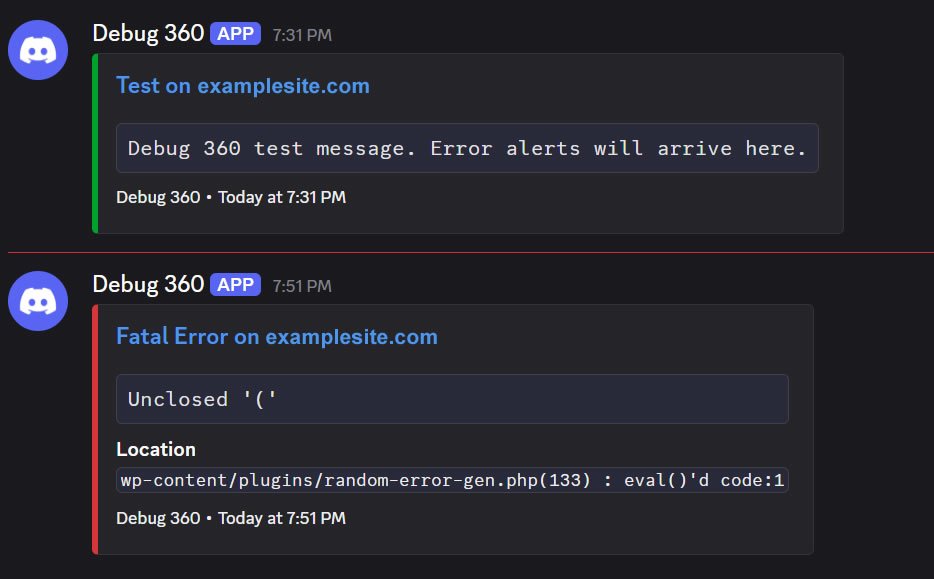
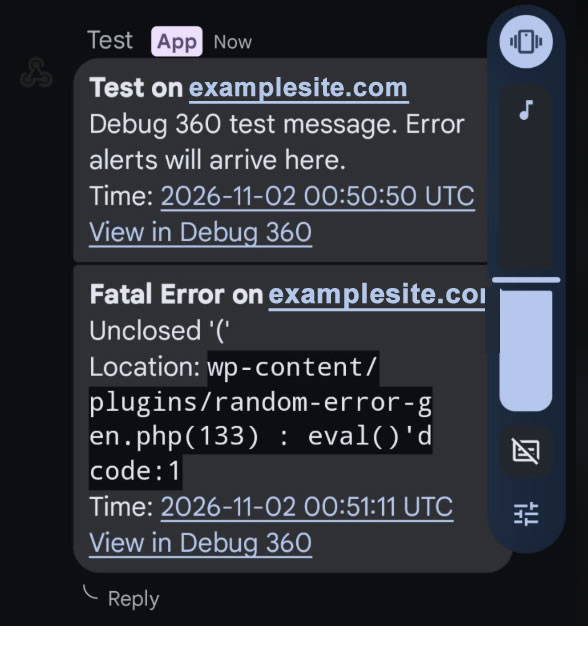
Send alerts to a Slack, Microsoft Teams, Discord or Google Chat channel. Each one shows the level, the error, the file and line, and a link straight to the log.
- Set up in a minute with a test-message button
- Same level and throttling rules as email
- No accidental pings: @everyone in an error stays silent in Discord
GitHub Monitoring
An AI review of your errors, every morning
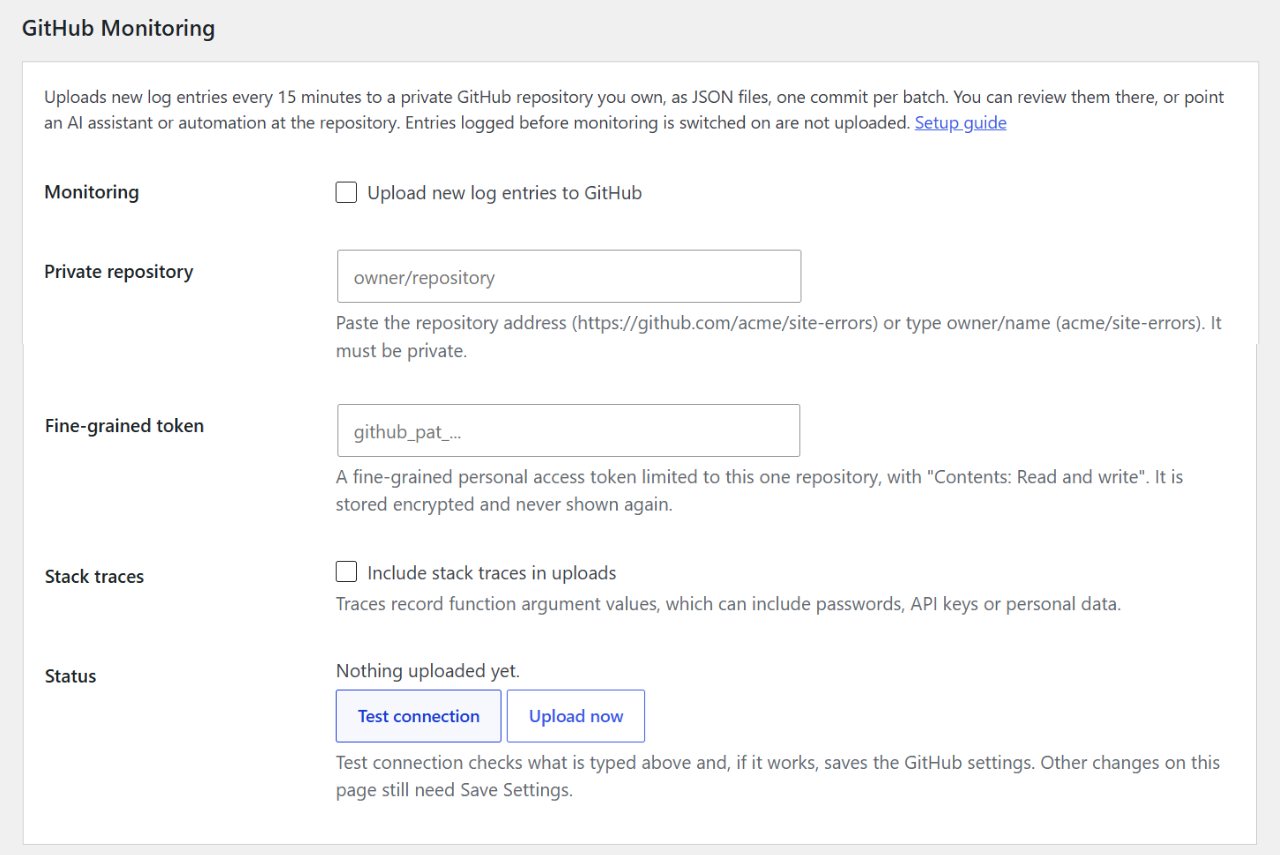
Pro uploads new errors to a private GitHub repository you own. Point an AI assistant at it and get a short daily report of what needs attention, without logging in and without an email for every warning.
- Private repositories only, with a token limited to one repository
- Server paths shortened before upload
- A ready-made review prompt included
Export and settings
Everything a developer needs, in one place
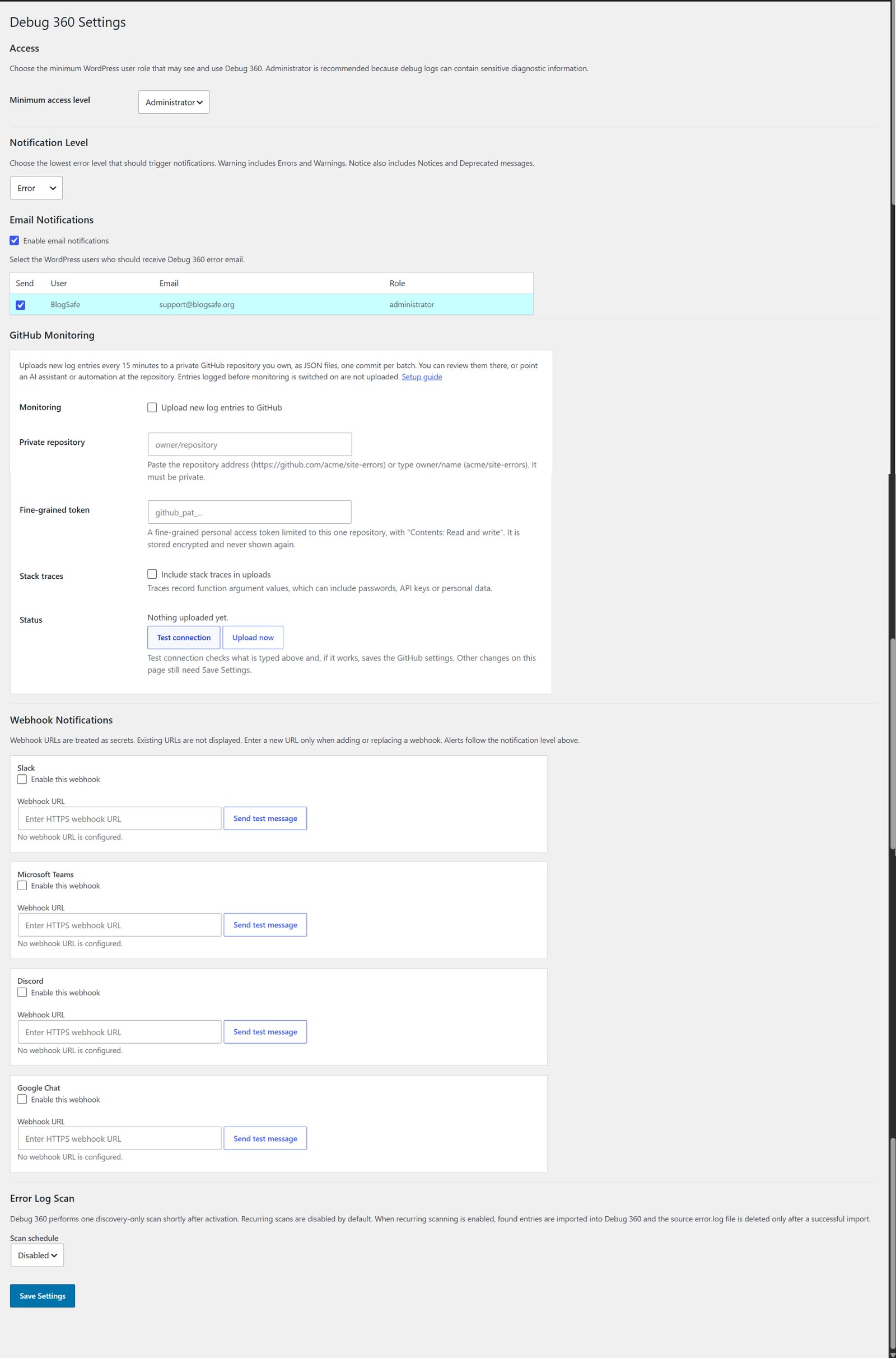
Download the current view or the whole log as CSV, JSON or text for a developer or a support ticket. Every Pro option lives on the same Settings page as the free ones.
- Exports keep your filters and sort order
- CSV is safe to open in a spreadsheet
- Admins only: exports never reach other roles
Free and Pro compared
| Feature | Free | Pro |
|---|---|---|
| Database error capture, no public debug.log | Included | Included |
| Log and table views, filters, sorting, syntax highlighting | Included | Included |
| Ignore rules (exact message or phrase) | Included | Included |
| Email alerts with throttling | Included | Included |
| WordPress debug switches with wp-config.php backups | Included | Included |
| History: cleared entries kept for 30 days | Included | Included |
| error.log and error_log discovery and scheduled import | Included | Included |
| Grouped view: each error once, with counts and first/last seen | Not included | Included |
| Where each error came from: request type, cron job, hooks, same page load | Not included | Included |
| Stack traces, including argument values | Not included | Included |
| Export to CSV, JSON or text | Not included | Included |
| Slack, Microsoft Teams, Discord and Google Chat alerts | Not included | Included |
| GitHub Monitoring for daily AI review | Not included | Included |
| Updates delivered from BlogSafe with your license | Not included | Included |
Get Debug 360 Pro
Debug 360 Pro
Debug 360 Pro
- Pay securely with PayPal. Your license key and download link arrive by email.
- Upload the Pro ZIP under Plugins → Add New → Upload Plugin and choose Replace current with uploaded. Your settings and log are kept.
- Enter your key under Debug 360 → License for updates.
Try Pro on your own site. If it isn't right for you, email support@blogsafe.org within 30 days of purchase for a full refund.
Questions
What if Pro isn’t right for me?
Every purchase has a 30-day money-back guarantee. Email support@blogsafe.org within 30 days with the email address you bought with, and we’ll refund you in full through PayPal. The license key stops working once the refund goes through.
Do I need the free plugin first?
No. Pro is a complete plugin. If the free one is installed, Pro replaces it and keeps your settings and log.
Does Pro send my data anywhere?
Only where you tell it to: the chat channels and GitHub repository you connect. The license check talks to blogsafe.org to deliver updates. Your log stays in your own database.
Will stack traces slow my site down?
Traces are only recorded for errors, and each is capped in size and number per page load. Turn tracing on while you investigate, and off when you’re done.
Where’s the documentation?
Everything is in the Debug 360 guide, including step-by-step setup for every chat app and GitHub.